Und dann auf "Zum Home-Bildschirm [+]".

Stöbern
genialokal zum Startbildschirm hinzufügen
Installieren Sie die genialokal App auf Ihrem Startbildschirm für einen schnellen Zugriff und eine komfortable Nutzung.
Installieren Sie die genialokal App auf Ihrem Startbildschirm für einen schnellen Zugriff und eine komfortable Nutzung.
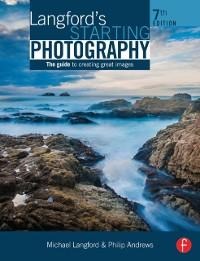
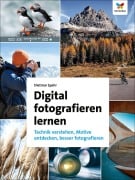
Starting with the basics of camera control and moving on to shutter speeds, aperture, zoom and flash, Langford's Starting Photography gives you the only introduction to digital photography you'll ever need. Once you've mastered the basics, examples and projects allow you to explore the key methods for capturing a variety of subjects from portraits and pets to landscapes and sports photography, alongside straightforward advice on using editing software to get the best out of your digital shots, will have you producing unforgettable images in moments. More inspiring than a textbook, more interesting than a reference, and more in-depth than a photography class, Langford's Starting Photography is the only guide you need to start taking great images.
Philip Andrews is Adobe Australia's official Photoshop and Elements Ambassador. He is an experienced photographer, author, magazine editor, and online course creator. He was previously a lecturer at the Queensland School of Printing and Graphic Arts, Australia, and Nescot, England. He is a beta tester for Photoshop, an alpha tester for Photoshop Elements, and a Photoshop specialist demonstrator for Adobe Australia. Philip is also co-founder of photo-college.com, an online photography training college. He's a regular contributor to several magazines including Shutterbug, Amateur Photographer, Australian Photography, and Better Photography, and is senior contributing editor for Better Digital, columnist for What Digital Camera, and co-editor and publisher of Better Photoshop Techniques magazine. The late Michael Langford formerly taught at the Royal College of Art, becoming Photography Course Director. Key involvement with photography courses and examination syllabuses at all levels. UK
Chapter 1: Picture Making; Chapter 2: Cameras, Sensors and Film; Chapter 3: Creative use of Camera Controls; Chapter 4: Tackling Different Photographic Subjects; Chapter 5: Controlling Light; Photographic Workflow; Chapter 6: Digital Processing and Printing; Chapter 7: Black and White Film Processing and Printing; Chapter 8: Experimental and constructed images; Chapter 9: Presenting and Assessing Your Work; Chapter 10: Troubleshooting; Appendices. Glossary.
Dieses eBook wird im PDF-Format geliefert und ist mit einem Adobe Kopierschutz (DRM) versehen. Sie können dieses eBook mit allen Geräten lesen, die das PDF-Format und den Adobe Kopierschutz (DRM) unterstützen.
Zum Beispiel mit den folgenden Geräten:
• tolino Reader
Laden Sie das eBook direkt über den Reader-Shop auf dem tolino herunter oder übertragen Sie das eBook auf Ihren tolino mit einer kostenlosen Software wie beispielsweise Adobe Digital Editions.
• Sony Reader & andere eBook Reader
Laden Sie das eBook direkt über den Reader-Shop herunter oder übertragen Sie das eBook mit der kostenlosen Software Sony READER FOR PC/Mac oder Adobe Digital Editions auf ein Standard-Lesegeräte mit epub- und Adobe DRM-Unterstützung.
• Tablets & Smartphones
Möchten Sie dieses eBook auf Ihrem Smartphone oder Tablet lesen, finden Sie hier unsere kostenlose Lese-App für iPhone/iPad und Android Smartphone/Tablets.
• PC & Mac
Lesen Sie das eBook direkt nach dem Herunterladen mit einer kostenlosen Lesesoftware, beispielsweise Adobe Digital Editions, Sony READER FOR PC/Mac oder direkt über Ihre eBook-Bibliothek in Ihrem Konto unter „Meine eBooks“ - „online lesen“.
Schalten Sie das eBook mit Ihrer persönlichen Adobe ID auf bis zu sechs Geräten gleichzeitig frei.
Bitte beachten Sie, dass die Kindle-Geräte das Format nicht unterstützen und dieses eBook somit nicht auf Kindle-Geräten lesbar ist.