Und dann auf "Zum Home-Bildschirm [+]".

Stöbern
genialokal zum Startbildschirm hinzufügen
Installieren Sie die genialokal App auf Ihrem Startbildschirm für einen schnellen Zugriff und eine komfortable Nutzung.
Installieren Sie die genialokal App auf Ihrem Startbildschirm für einen schnellen Zugriff und eine komfortable Nutzung.
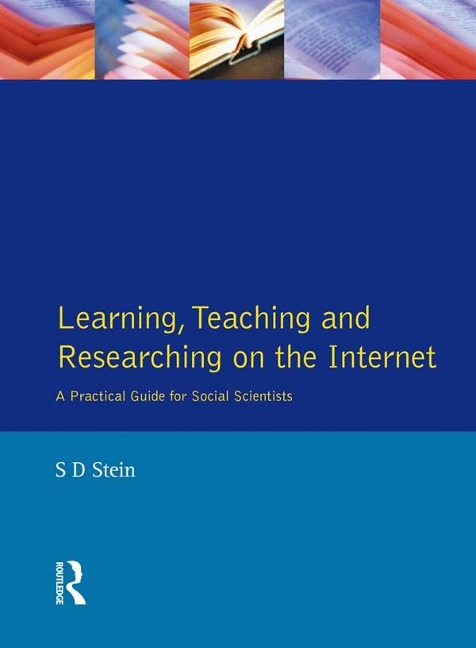
Learning, Teaching and Researching on the Internet: A Practical Guide for Social Scientists is directed at students and academic staff who want to be able to access Internet resources quickly and efficiently without needing to become IT experts. The emphasis throughout is on the harnessing of the large volume of potentially useful Internet resources to everyday requirements, whether these be focused on learning, teaching or research. The Internet is a significantly rich information, communication and research resource for all those involved in higher education, whether they be students, academic staff involved in teaching and research, or educational administrators. Whilst the author has drawn on the large volume of technical literature, it is written on the basis of practical experience acquired over the many years of using Internet resources in the context of teaching undergraduate and postgraduate courses in the social sciences. In addition to extensive coverage on using Web browsers, searching for information at Web sites, in mailing lists and newsgroups, Part IV provides detailed annotations in the resources available at the best sites on the Internet collating materials on politics, sociology, economics, philosophy, psychology, history, human rights, European Union and other categories. The work is structured so that it will be found useful by both beginners and intermediate level users.
S. D. Stein
Preface. Part I: Internet Preliminaries; 1. A Very Brief Introduction to the Internet; Local Area Networks. Wide Area Networks and the Internet. The World Wide Web. 2. Web Browsers; Introduction. The Browser Interface. The Toolbar. Downloading Files. Backtracking. Manipulating Accessed Documents. Frames. Bookmarks. Working the Net with the Browser. 3. Internet Access. 4. Referencing Internet Resources. Part II: Searching the Internet; 5. Subject Directories. 6. Search Engines and Searches. 7. Searches: Basic. 8. Searches Advanced. Part III: Exchanging Views on the Internet; 9. Locating Mailing Lists. 10. Mailing List Commands and Exchanges. 11. Mailing List Archives. 12. Reading the News: Newsgroups. Part IV: Social Science Subject Resources; 13. General Reference Resources. 14. Electronic Texts and Reviews. 15. Data Archives. 16. Statistical Resources. 17. Social Science Funding. 18. Current News Online; General Electronic Newspaper Resources. Newspapers and Agencies. Television and Radio. 19. History; General Resources. Ancient. Medieval. Eighteenth Century. American. Twentieth Century. 20. Human Rights; Treaties, Declarations and Other Instruments. General Resource Sites. Human Rights in Particular Countries. United Nations and Human Rights. 21. Philosophy, Sociology and Psychology. 22. Political Science and Government. 23. European Union; Institutions. Policies. Publications and Documents. Other EU Resources. 24. Economics Resources; Mailing Lists and Newsgroups. Current Economic News. Part V: Closure; 25. Ancillary Computing Techniques. 26. Additional Techniques, Applications and Resources. Glossary. Index.
Dieses eBook wird im PDF-Format geliefert und ist mit einem Adobe Kopierschutz (DRM) versehen. Sie können dieses eBook mit allen Geräten lesen, die das PDF-Format und den Adobe Kopierschutz (DRM) unterstützen.
Zum Beispiel mit den folgenden Geräten:
• tolino Reader
Laden Sie das eBook direkt über den Reader-Shop auf dem tolino herunter oder übertragen Sie das eBook auf Ihren tolino mit einer kostenlosen Software wie beispielsweise Adobe Digital Editions.
• Sony Reader & andere eBook Reader
Laden Sie das eBook direkt über den Reader-Shop herunter oder übertragen Sie das eBook mit der kostenlosen Software Sony READER FOR PC/Mac oder Adobe Digital Editions auf ein Standard-Lesegeräte mit epub- und Adobe DRM-Unterstützung.
• Tablets & Smartphones
Möchten Sie dieses eBook auf Ihrem Smartphone oder Tablet lesen, finden Sie hier unsere kostenlose Lese-App für iPhone/iPad und Android Smartphone/Tablets.
• PC & Mac
Lesen Sie das eBook direkt nach dem Herunterladen mit einer kostenlosen Lesesoftware, beispielsweise Adobe Digital Editions, Sony READER FOR PC/Mac oder direkt über Ihre eBook-Bibliothek in Ihrem Konto unter „Meine eBooks“ - „online lesen“.
Schalten Sie das eBook mit Ihrer persönlichen Adobe ID auf bis zu sechs Geräten gleichzeitig frei.
Bitte beachten Sie, dass die Kindle-Geräte das Format nicht unterstützen und dieses eBook somit nicht auf Kindle-Geräten lesbar ist.